Audio Compression Guide: Vocals, Drums, Bus Compression and Mastering

Learn audio compression with practical guides for vocals, drums, parallel compression, glue compression, mix bus control, mastering compression, compressor types and plugin workflows. This hub brings together the most useful Song Mix Master compression resources so you can control dynamics, shape punch and make better mixing decisions.

Start With Vocal Compression View Compression Presets

Recommended Presets

Start Faster With Compression-Ready Presets

Compression is easier to learn when you can hear it inside a real chain. These preset packs give you practical starting points for vocal compression, mix bus control, mastering loudness and faster routing inside your DAW. Use them as a foundation, then adjust attack, release, ratio, threshold and makeup gain to fit the song.

-20%
Original price was: $19.99.Current price is: $15.99.
-20%
Original price was: $19.99.Current price is: $15.99.
-20%
Original price was: $24.99.Current price is: $19.99.
-20%
Original price was: $24.99.Current price is: $19.99.

Audio Compression Basics

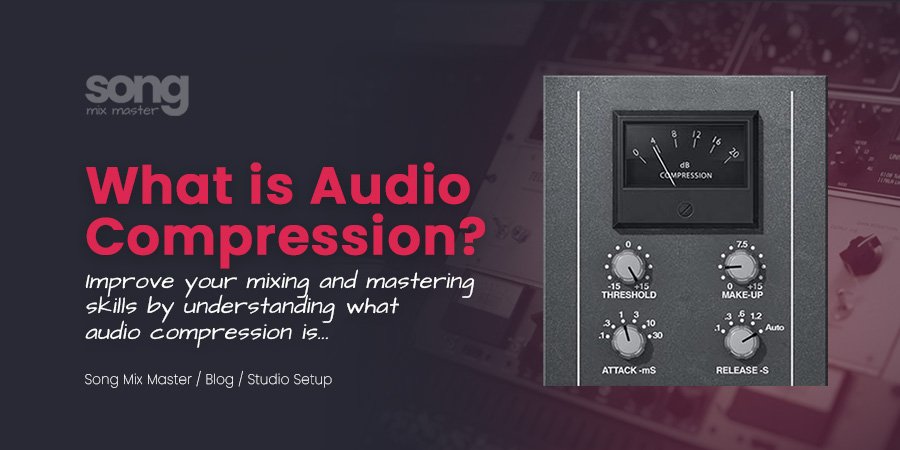
What Is Audio Compression?

Audio compression is a dynamic processing technique that reduces the difference between the loudest and quietest parts of a sound. In music production, compression can control vocal levels, shape drum punch, add mix bus glue, increase perceived loudness and make a performance feel more consistent.

Compression does not automatically make audio better. It works best when you use attack, release, ratio, threshold and makeup gain with a clear purpose. Before you compress anything, ask yourself one question: do you want more control, more punch, more sustain, more loudness or more movement?

Control Dynamics

Use compression to reduce level jumps and keep vocals, drums, bass or instruments more stable in the mix.

Shape Punch and Sustain

Use attack and release to decide how much transient punch, body and sustain the compressor allows through.

Add Glue and Loudness

Use bus compression, glue compression and mastering compression to make groups or full mixes feel more connected.

Parallel and Glue Compression

Drum Compression, Parallel Compression and Glue Compression

Compression is not only for vocals. It can shape drum punch, control bass movement, add sustain, glue instrument groups and make a full mix feel more connected. The key is knowing when to compress individual tracks, when to compress buses and when to leave the dynamics alone.

Drum Compression

Use drum compression to shape attack, punch, sustain and room energy without making the kit sound flat.

Parallel Compression

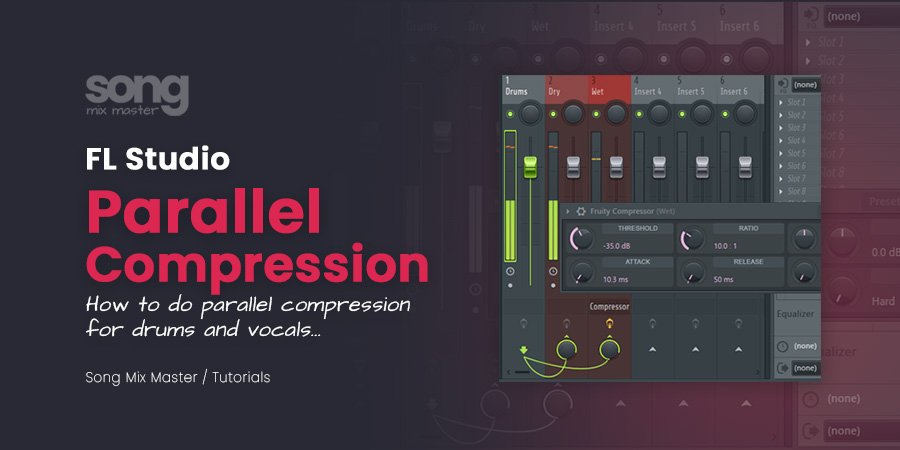
Parallel compression blends a heavily compressed signal underneath the dry sound to add density without losing natural transients.

Glue Compression

Glue compression helps a drum bus, mix bus or master feel more connected by gently controlling movement across the group.

Vocal Compression

Vocal Compression for Cleaner, More Stable Vocals

Vocal compression helps keep the voice steady, present and emotionally connected to the track. It can control peaks, bring quiet words forward, add density and make the vocal feel more finished inside the mix.

Vocal Compression Guides

Use these articles when your vocal feels too dynamic, buried, uneven, weak or disconnected from the beat.

Vocal Chain Presets

If you want faster starting points, use vocal chains and presets that already combine EQ, compression, de-essing, saturation, delay and reverb.

Frequently Asked Questions

Audio Compression Questions

Audio compression is dynamic processing that reduces the difference between loud and quiet parts of a sound. In audio mixing and mastering projects, it helps control vocals, shape drums, add sustain, increase density and make a performance feel more consistent.

An audio compressor turns down audio when it passes a chosen threshold. You can use it to control peaks, smooth vocals, shape drum punch, add glue to buses or prepare a signal for louder audio mastering.

Audio compression in mixing controls dynamics and sound behavior. File compression reduces file size, such as MP3 or AAC encoding. A compressor audio plugin changes the sound. A file compressor changes the data size.

Vocal compression controls the level of a vocal performance so words feel more consistent in the mix. It can bring quiet phrases forward, control loud peaks and make the voice sit better with the instrumental.

A good starting point for vocal compression is an attack between 5 and 30 ms and a release between 40 and 120 ms. Faster attack can control sharp peaks, while slower attack can keep more vocal punch and presence.

For natural vocal compression, start around 2:1 or 3:1. For modern pop or rap vocals, 4:1 to 8:1 can work when the vocal needs to stay upfront. For parallel vocal compression, higher ratios can work because the compressed signal is blended underneath the dry vocal.

Parallel compression blends a heavily compressed version of a signal underneath the original sound. It can add density, sustain and energy without completely removing the natural transient shape.

Glue compression gently controls a group, bus or full mix so the elements feel more connected. It is often used on drums, mix buses and mastering chains with subtle gain reduction. To achieve the classic “glue” effect using an SSL hardware unit or a software emulation.

Bus compression processes a group of tracks together, such as drums, vocals, instruments or the full mix. It can add control, cohesion and movement when used carefully.

FET compressors are fast and energetic. Opto compressors are smoother and often slower. VCA compressors are controlled and useful for buses. Vari-mu compressors can add smooth leveling, tone and musical movement.

Both options can work. Use EQ before compression when you need to remove rumble, mud or harshness before the compressor reacts. Use EQ after compression when you want to shape the final tone after level control.

A vocal compression cheat sheet can help you start faster, especially when choosing ratio, attack, release and gain reduction. It should not replace listening, but it can give you practical starting points before you fine-tune the compressor for the singer and song.