
Production, Reviews
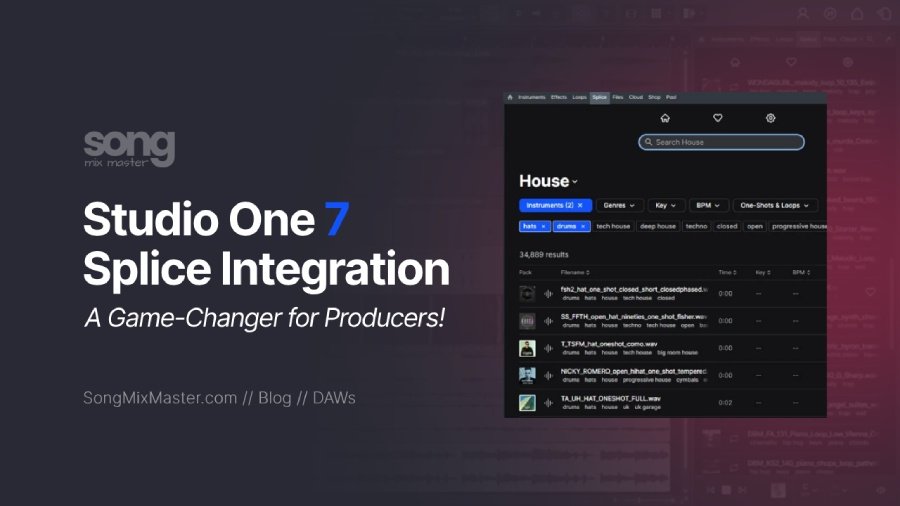
Studio One 7’s Splice Integration is a Game-Changer for Producers
I have had a Splice subscription for many years. It helps me a lot when I’m making a new beat from scratch or even when I’m mixing a client’s project (check out my online mixing services) and feel that a few things are needed to improve the mix, like a crash at the beginning of a drum section, an uplifter before the drop, a punchier kick, etc. I often browse Splice’s vast library for that perfect sample to improve my mixes.
I was so excited to hear that Studio One 7 now has direct Splice integration. And let me tell you, it’s a total game-changer! This integration has streamlined my workflow, making finding the best audio loop or samples faster and easier without leaving the DAW.
Instant Access to Splice’s Sample Library

Studio One 7 brings Splice right into the DAW, meaning I can browse Splice’s extensive sample library without switching windows or losing focus. The Search with Sound feature is a highlight for me: I can drop any sound or clip from my project into Splice, and it instantly suggests samples that match my track’s key, tempo, and groove. This saves me from the hassle of endless options and keeps me in a creative flow.
Instead of navigating between apps and dragging files back and forth, I can load up my project or a selection of tracks, and Splice takes it from there, creating a reference sound to find more sounds and loops in that style. It’s like having a personal assistant who knows exactly what will fit the mood, the key, of my track.

Imagine working on a house track and needing a bassline matching your drums. Instead of searching manually, you can select your drum track, let the algorithm find matches, and instantly choose a fitting bassline. The entire process keeps you engaged, so you don’t waste time or lose inspiration.
Free Samples From Splice
The new SPlice integration with Studio One 7 also includes over 2,500 royalty-free drum samples, ready to use for Studio One 7 users. They’re high-quality, versatile, and cover various genres and instruments. And if you’re like me and want more, you can subscribe to Splice’s full library for $12.99 a month.
With this subscription, you can access tons of sounds and keep any samples you download forever. It’s a small investment for what you get; millions of loops and samples are ready to inspire you and change how you make beats or mix.
Try the full Splice library free for 7 days
Using AI to Find the Perfect Match
 Another new feature in Studio One 7 is the ability to detach the browser, allowing you to resize it or move it to a second monitor for an improved viewing experience.
The AI-powered sample matching is a fantastic feature. It narrows down Splice’s massive library to the samples that will actually work for your track. No more re-pitching or stretching samples to make them fit. They’re already in the right key and tempo. This lets me experiment freely, knowing the samples will match my project.
For example, if I’m looking for a kick drum that complements my bassline, I can filter by genre and instrument, and Splice gives me a curated list of options. This ability to quickly find what I need without getting bogged down means I can complete a track in half the time.
While the AI is generally very effective, there are times when you might need to make some adjustments or conduct a manual search.
Final Thoughts
Studio One 7’s Splice integration is a must-try if you’re serious about music production. It’s made my workflow smoother and faster, keeping me in a creative groove from start to finish.
Affiliate disclosure: Some links on this page are affiliate links. If you make a purchase through them, we may earn a commission at no extra cost to you. Brand disclaimer: All product names, trademarks, and brands belong to their respective owners. References are for identification and informational purposes only.
Check Out My Custom Mixing Presets!
New Mixing Presets
Waves Vocal Chains
$24.99Original price was: $24.99.$19.99Current price is: $19.99.FabFilter Pro-Q4 Presets
$24.99Original price was: $24.99.$19.99Current price is: $19.99.FL Studio Vocal Mixing Presets
$19.99Original price was: $19.99.$15.99Current price is: $15.99.FL Studio Mastering Presets
$19.99Original price was: $19.99.$15.99Current price is: $15.99.You may also like to read...
How To Use iZotope Ozone Match EQ Plugin in Mastering
Waves StudioRack Review – StudioVerse Audio Effects Plugin
My Custom Impulse Response IRs WAV Files Pack Is Out
FL Studio Mixer Routing with Buses and Send Channels
Top 21 Acoustic Guitar Songs to Improve Your Playing Skills
My PSP 285 Review: A Semi-Modular Powerhouse Delay Plugin