
Audio Plugins
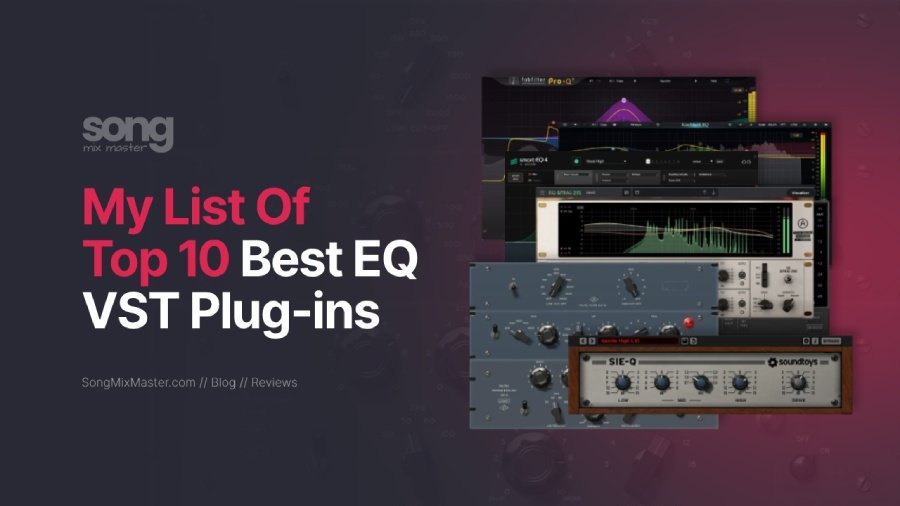
My Top 10 Best EQ VST Audio Plugins I Use in 2026
Updated July 2026: I revised this guide with clearer EQ plugin recommendations, stronger comparison logic, current plugin choices, practical mixing advice, and a better structure.
The best EQ plugin is not always the one with the most features. The best EQ plugin is the one that helps you make the right decision faster. In my mixing and mastering sessions, I usually need three types of EQ: a clean surgical EQ for correction, a dynamic EQ for moving problems, and a character EQ for tone. Once you understand that difference, you stop collecting random plugins and start building a useful EQ toolkit.
If I could choose only one EQ plugin for most mixing and mastering work, I would choose FabFilter Pro-Q 4. It gives me speed, precision, dynamic control, spectral tools, clean workflow, and enough flexibility for vocals, drums, bass, mix bus work, and mastering. If I needed a free EQ, I would choose TDR Nova.
If I wanted analog-style tone, I would reach for UAD Pultec Passive EQ Collection, Soundtoys Sie-Q, or Arturia EQ Sitral 295. If I needed to control harshness and resonances quickly, I would use oeksound soothe3 as a special EQ-style problem solver rather than a normal parametric EQ.
How I Choose EQ Plugins for Real Mixing and Mastering Work
I do not judge EQ plugins only by how many bands they have. I judge them by how quickly they help me solve a real problem. A vocal may need harshness control around the upper mids. A kick may need low-end shape without losing punch. A master may need half a dB of correction that does not damage the mix. Each of these situations needs a different type of EQ decision.
When I choose an EQ, I ask myself a simple question: do I need correction, movement, or color?
| EQ Job | What It Means | Best Plugin Type |
|---|---|---|
| Correction | Cut mud, harshness, rumble, boxiness, or resonances. | Clean parametric EQ or dynamic EQ. |
| Movement | Control frequencies only when they become a problem. | Dynamic EQ, smart EQ, or resonance suppressor. |
| Color | Add tone, weight, air, warmth, or attitude. | Analog-style EQ. |
This is why I do not recommend buying ten EQ plugins that all do the same thing. You need a clean EQ, a dynamic EQ, and one or two tone EQs that you actually understand. The plugin matters, but your decisions matter more.
Best Clean and Surgical EQ Plugins
1. FabFilter Pro-Q 4
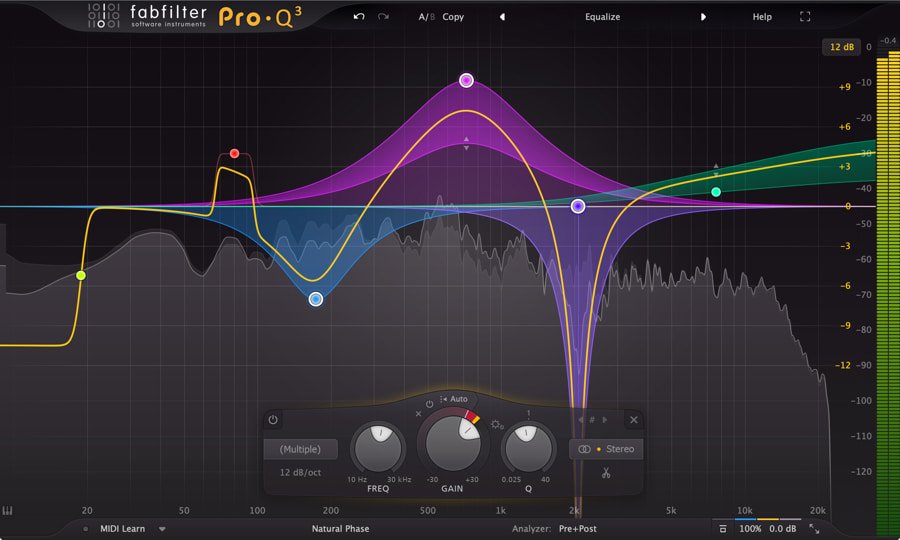
Best for: surgical EQ, dynamic EQ, vocals, drums, mix bus cleanup, and mastering.
FabFilter Pro-Q 4 is the EQ I would keep if I had to simplify my plugin folder. It gives me the speed of a clean digital EQ, the control of a dynamic EQ, and the precision I need for mastering. I use it when I need to remove mud, control harshness, clean low-end buildup, shape vocals, adjust stereo information, or make small mastering corrections without adding unwanted color.
The main reason I trust Pro-Q in serious sessions is workflow. You can find a problem, isolate it, create a band, adjust it, make it dynamic, switch to mid/side, and move on. That speed matters when you are mixing a dense production and every decision affects the next one.
I also like Pro-Q for vocal work. A static cut can sometimes make a vocal dull, especially around the upper mids. A dynamic band lets you control aggressive moments only when they appear. This keeps the vocal open while still reducing harshness.
Where it works best: vocal cleanup, resonance control, mid/side mastering moves, drum bus corrections, low-end cleanup, and transparent EQ decisions.
Where it is not ideal: analog color. If I want a Pultec-style low-end lift or vintage top-end tone, I reach for a character EQ instead.
My practical tip: on vocals, try a dynamic bell around the harsh upper-mid area instead of cutting it permanently. Let the EQ react only when the vocal becomes aggressive.
My verdict: FabFilter Pro-Q 4 is the best overall EQ plugin for most producers, mixing engineers, and mastering engineers because it handles correction, dynamic control, and technical EQ work without slowing down the session.
Buy at Plugin Boutique: FabFilter Pro-Q 4
If you still use Pro-Q 3, the workflow remains powerful, and my FabFilter Pro-Q 3 presets can still help you start faster.
2. Three-Body Technology Kirchhoff EQ

Best for: advanced digital EQ, dynamic EQ, analog-style curves, and detailed mixing or mastering work.
Kirchhoff EQ is one of the strongest alternatives to Pro-Q if you like deep control. It combines modern digital precision with modeled analog EQ curves, which makes it useful when you want accuracy and tone inside the same plugin. You can work cleanly, then choose different EQ curve behaviors when a source needs more musical shape.
I like Kirchhoff EQ when I want more control over the style of the EQ curve. Some EQ moves need transparency. Other moves need a shape that feels more like a classic hardware unit. Kirchhoff gives you that range without forcing you to open several different plugins.
For mastering, this flexibility can help when a mix needs small technical corrections and a little tonal movement. For mixing, it works well on vocals, buses, drums, synths, and full instrument groups.
Where it works best: advanced EQ shaping, mastering corrections, mid/side work, dynamic EQ, and sessions where you want digital precision with analog-inspired curves.
Where it is not ideal: beginners who want the simplest possible EQ. Kirchhoff gives you depth, but that depth can distract you if you do not already know what you want to fix.
My practical tip: use Kirchhoff when you want to compare different curve behaviors on the same source. A small boost can feel very different depending on the EQ model behind the band.
My verdict: Kirchhoff EQ is a serious professional EQ for producers and engineers who want more control than a basic parametric EQ and more tonal options than a purely clean digital EQ.
Official link: Kirchhoff EQ
Best Smart and Dynamic EQ Plugins
3. sonible smart:EQ 4

Best for: AI-assisted tonal balance, fast corrective EQ, mix cleanup, and producers who want guidance.
sonible smart:EQ 4 is not the EQ I use when I want full manual control over every tiny decision. It is the EQ I use when I want a fast tonal suggestion, especially on a source that feels unbalanced and I want to understand the problem quickly.
The strength of smart:EQ 4 is its ability to analyze audio and propose a tonal correction based on the selected profile or context. This can help when you are stuck, tired, or working with poorly recorded material. It can also help newer producers hear what a balanced source may need.
I would not let any AI EQ make the final decision for me. I treat it like an assistant. I let it suggest a direction, then I adjust by ear. Sometimes the best move is to use less processing than the plugin suggests.
Where it works best: tonal balancing, quick correction, rough mix cleanup, vocal shaping, instrument profiles, and sessions where you need a second opinion.
Where it is not ideal: final mastering decisions where every move needs strict manual judgment, or creative tone shaping where you already know the exact color you want.
My practical tip: after smart:EQ creates a curve, reduce the intensity and bypass often. The goal is not to let the plugin mix for you. The goal is to reach a better starting point faster.
My verdict: smart:EQ 4 is one of the best AI-assisted EQ plugins for producers who want faster tonal decisions without giving up their own judgment.
Buy at Plugin Boutique: sonible smart:EQ 4
4. TDR Nova

Best for: free dynamic EQ, vocal harshness control, de-essing, drum cleanup, and mix bus correction.
TDR Nova is one of the most useful free EQ plugins because it gives you dynamic EQ behavior without making the workflow complicated. You can use it like a normal parametric EQ, but each main band can also react dynamically when a frequency becomes too loud.
This makes Nova useful on vocals, drums, guitars, buses, and even mastering chains when you need subtle movement. For example, a vocal may only sound harsh on a few loud words. A static EQ cut can remove too much tone from the whole performance. A dynamic band can control only the aggressive moments.
Nova also works well when a mix has low-mid buildup that appears only during certain notes or sections. Instead of cutting the whole area permanently, you can let the dynamic band reduce it when needed.
Where it works best: free dynamic EQ, vocal control, de-essing, harshness reduction, low-mid cleanup, and educational mixing work.
Where it is not ideal: fast visual workflow compared with premium EQs like Pro-Q 4, or analog tone shaping where you want saturation and color.
My practical tip: use TDR Nova as a dynamic de-esser by focusing on the sibilance range and adjusting the threshold until only sharp consonants trigger the reduction.
My verdict: TDR Nova is the best free EQ plugin I would recommend to most producers because it teaches you how dynamic EQ works while still giving you professional results.
Free download: TDR Nova
Buy TDR Nova GE at Plugin Boutique: TDR Nova GE
Best Analog-Style EQ Plugins
5. UAD Pultec Passive EQ Collection

Best for: analog-style low-end weight, smooth top end, vocal tone, bass, drums, and mix bus color.
UAD Pultec Passive EQ Collection is not the EQ I open when I need surgical cleanup. I open it when the sound needs musical weight, sweet top end, or a more finished analog tone. The Pultec style works because it shapes broad areas in a way that often feels more natural than narrow digital boosts.
The EQP-1A style low-end trick remains useful because you can boost and attenuate around the same frequency area. This can create a low end that feels bigger but still controlled. On vocals, a gentle top-end lift can add air without making the vocal sound thin. On bass and kick, the low-frequency controls can add weight when the source already has a good foundation.
The MEQ-5 style midrange EQ can also help when you need musical mid shaping. It does not feel like a surgical tool. It feels like a tone tool.
Where it works best: bass, kick, vocals, mix bus, mastering color, and broad tonal shaping.
Where it is not ideal: removing sharp resonances, fixing harsh vocals, or making narrow corrective cuts.
My practical tip: do not overuse the low-end boost. A small Pultec move can feel big in a full mix. Level-match before you decide that it sounds better.
My verdict: UAD Pultec Passive EQ Collection is one of the best analog-style EQ choices when you want tone, weight, and musical curves rather than surgical correction.
Also read my guide on how to use a Pultec EQ for warm and punchy sound.
Buy at Plugin Boutique: UAD Pultec Passive EQ Collection
6. Arturia EQ Sitral 295

Best for: group processing, bus tone, subtle analog color, and simple musical EQ moves.
Arturia EQ Sitral 295 gives you a vintage-inspired EQ workflow that works well when you want tone without overthinking the move. It is not the plugin I choose for detailed corrective surgery. I use this type of EQ when a bus or group needs a little more character, presence, warmth, or width.
The limited control set can actually help. When an EQ gives you too many options, you may start hunting for problems that do not matter. A simpler analog-style EQ pushes you toward broad musical decisions.
This makes Sitral 295 useful on drum buses, synth groups, backing vocals, guitars, and full instrument groups. The mid/side options also help when you want the center and sides to behave differently.
Where it works best: buses, groups, synths, guitars, backing vocals, and broad tone shaping.
Where it is not ideal: surgical cuts, transparent mastering correction, or complex dynamic EQ work.
My practical tip: try it on a group bus before you try it on every individual channel. It can give several tracks a shared tone and make the mix feel more connected.
My verdict: Arturia EQ Sitral 295 is a strong choice when you want a simple analog-style EQ for musical bus shaping and subtle tone.
Buy at Plugin Boutique: Arturia EQ Sitral 295
7. Soundtoys Sie-Q

Best for: fast analog tone, smooth lows, spacious highs, vocals, bass, guitars, and simple color moves.
Soundtoys Sie-Q is the EQ I would use when I want a quick color move without opening a deep surgical EQ. It has a simple layout, but the tone can work very well when a sound needs more personality. The high band can add openness, the low band can add body, and the drive control can introduce subtle character.
I like Sie-Q on vocals when the sound feels too clean or too flat. It can also work nicely on bass, guitars, keys, and sampled instruments that need a touch of vintage attitude. You do not use it because you need ten different filter types. You use it because it gives you a tone quickly.
Where it works best: vocals, bass, guitars, keys, samples, and simple analog-style enhancement.
Where it is not ideal: technical mastering, detailed resonance removal, or dynamic frequency control.
My practical tip: use the drive control carefully. A little color can help a source feel alive. Too much can make the mix cloudy, especially if you use it on many tracks.
My verdict: Soundtoys Sie-Q is one of the easiest analog-style EQ plugins to use when you want tone fast and do not need a complex interface.
Buy at Plugin Boutique: Soundtoys Sie-Q
Best Creative and Problem-Solving EQ Tools
8. Eventide SplitEQ

Best for: transient shaping, tonal repair, drum control, harshness reduction, stereo shaping, and creative EQ work.
Eventide SplitEQ is not a normal EQ. It separates transient and tonal information, then lets you EQ those parts differently. That idea can solve problems that a standard EQ cannot fix cleanly.
For example, a snare might have a harsh attack but a nice body. A normal EQ cut may reduce both. SplitEQ lets you reduce the transient harshness while keeping the tonal body more intact. On guitars, you can shape pick attack separately from the sustained chord. On drums, you can control click, snap, ring, and body with more freedom.
This makes SplitEQ useful for both repair and creativity. I would not use it as my default EQ on every track, but when a source has a specific attack-versus-body problem, it can save time.
Where it works best: drums, percussion, guitars, vocals with sharp attacks, stereo repair, and sources where attack and body need different treatment.
Where it is not ideal: simple EQ tasks where a normal parametric EQ would solve the problem faster.
My practical tip: try SplitEQ on drum rooms or harsh percussion. Reduce the aggressive transient area without removing too much tone from the sustain.
My verdict: Eventide SplitEQ is one of the most useful creative EQ tools for engineers who want to shape transient and tonal information separately.
Buy at Plugin Boutique: Eventide SplitEQ
9. Plugin Boutique Scaler EQ
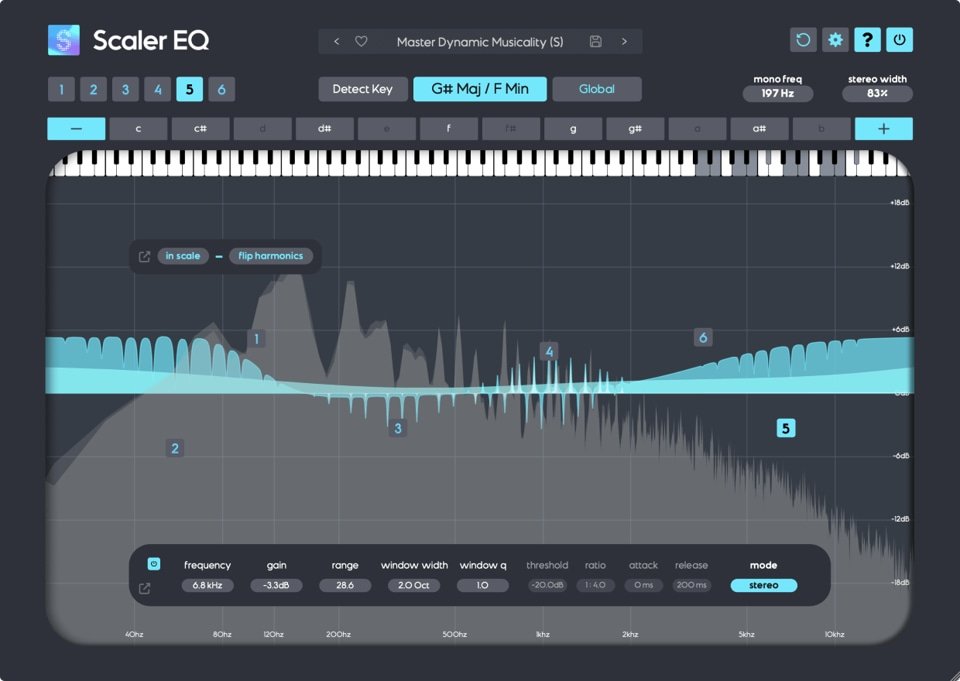
Best for: musical EQ moves, in-key frequency shaping, creative tone work, and harmonic guidance.
Scaler EQ is different from a normal EQ because it connects EQ decisions with the musical key of the song. This can help when you want boosts or cuts to feel more connected to the harmony instead of only treating frequencies as technical numbers.
I do not use Scaler EQ as my main corrective EQ. I use it when a source needs a musical lift and I want the EQ move to support the key of the track. This can be interesting on vocals, guitars, synths, samples, and melodic buses.
The key detection feature can save time, but you still need to listen. Key-based EQ does not mean every frequency move will automatically sound right. It gives you a musical reference, then your ears decide how much you need.
Where it works best: melodic material, vocals, guitars, synths, samples, creative EQ boosts, and harmonic tone shaping.
Where it is not ideal: surgical correction, mastering precision, or technical cleanup where musical key does not matter.
My practical tip: use Scaler EQ for creative boosts more than corrective cuts. It can help you add presence or tone in a way that feels tied to the song.
My verdict: Scaler EQ is not a replacement for Pro-Q, Kirchhoff, or Nova. It is a creative EQ that can help producers make more musical frequency decisions.
Buy at Plugin Boutique: Plugin Boutique Scaler EQ
10. oeksound soothe3

Best for: resonance control, harsh vocals, sibilance, muddiness, boominess, proximity effect, sharp guitars, cymbals, room problems, and subtle mix bus smoothing.
oeksound soothe3 is not a traditional EQ, but it belongs in this guide because many real EQ problems are not static. Harshness moves. Resonances jump out only on certain notes. Sibilance changes from word to word. Low-mid buildup may appear only when a singer gets closer to the microphone or when several instruments stack in the same range. A normal EQ can help, but it can also remove too much tone from moments that do not need correction.
That is where soothe3 becomes useful. It identifies problematic resonances on the fly and applies matching reduction automatically. Instead of manually notching frequencies one by one, you can decide which resonances you want to suppress and how much control the plugin should apply. The reduction only happens when and where it is needed, which helps preserve the original tone of the source.
For vocals, soothe3 can smooth harshness, tame piercing sibilance, and reduce problems caused by microphone choice, mic placement, room acoustics, and proximity effect. The low-latency mode also makes it more useful while tracking, because the performer can hear a cleaner and more controlled vocal sound from the start.
I would start with Soft mode for most sources because it gives the most transparent result. It is a safe starting point when you want to reduce harshness without making the vocal, guitar, or bus sound processed. Hard mode reacts more aggressively and can work when you want stronger control, a more obvious compressor-like grab, or a creative overprocessed effect.
soothe3 also gives you more control when you need it. The tilt controls can help you shape how the plugin reacts to the low end, which is useful for muddiness, boominess, and proximity effect. Linear phase can help in more delicate situations, and expanded multichannel support makes soothe3 more useful beyond basic stereo mixing.
Where it works best: harsh vocals, de-essing, sharp guitars, cymbals, bright samples, resonant synths, room problems, muddy low mids, boomy vocals, and subtle mastering cleanup.
Where it is not ideal: broad tonal shaping, analog color, or replacing proper recording and mixing decisions. soothe3 can solve resonance problems quickly, but it should not become an excuse to ignore mic placement, arrangement balance, or basic EQ work.
My practical tip: start in Soft mode and use less depth than you think you need. If the source starts to sound dull, hollow, or emotionally smaller, back off. You should miss soothe3 when you bypass it, but you should not hear it working all the time.
My verdict: soothe3 is one of the best EQ-style problem solvers for modern mixing because it controls moving resonances faster than manual EQ. I would not use it as my main EQ, but I would keep it close for vocals, harsh instruments, resonant rooms, and mixes that need smoother balance without heavy-handed cuts.
You can also read my guide on how to use a de-esser to reduce sibilance in vocal mixing.
Best EQ Plugin for Vocals
For vocals, my first choice is FabFilter Pro-Q 4 because it lets me clean low-end rumble, remove mud, control harshness dynamically, and shape air without adding unwanted color. If the vocal needs a free dynamic EQ, TDR Nova can do a serious job. If the vocal needs color, I may add Soundtoys Sie-Q or a Pultec-style EQ after the corrective stage.
A good vocal EQ chain often starts with cleanup. Remove rumble, reduce mud, and control harshness. After that, use a tone EQ if the vocal needs weight, presence, or air. Do not add top end before you control sibilance and upper-mid aggression. You may make the vocal brighter, but you may also make it harder to mix.
If you need help getting vocals to sound finished, you can check my online vocal mixing service.
Best EQ Plugin for Mastering
For mastering, I want an EQ that lets me make small, clean, confident decisions. FabFilter Pro-Q 4 and Kirchhoff EQ are the strongest choices from this list for technical mastering work. They give you the control needed for small tonal corrections, mid/side decisions, and careful frequency balancing.
Analog-style EQs can also work in mastering, but I use them differently. A Pultec-style EQ may add weight or air, but I keep the moves small. Mastering EQ should improve the mix without changing the song’s identity.
If your mix already feels close and you need professional final processing, check my online audio mastering service.
Best EQ Plugins for Beginners
If you are a beginner, start with one clean EQ and one free dynamic EQ. You do not need ten different analog emulations right away. Learn how to identify mud, boxiness, harshness, sibilance, low-end buildup, and masking first.
TDR Nova is the best free starting point because it teaches you both normal EQ and dynamic EQ. If you are ready to invest in one premium EQ, FabFilter Pro-Q 4 is the most complete choice because it can stay useful from beginner sessions to professional work.
The biggest mistake beginners make is boosting before listening to what needs removal. Before you add brightness, ask yourself what is making the sound feel dull. Before you add bass, ask yourself what is masking the low end. Good EQ decisions start with diagnosis.
Best EQ Plugin for Mixing
For mixing, I would build a simple EQ toolkit around these roles:
| Mixing Role | Recommended EQ | Why |
|---|---|---|
| Main corrective EQ | FabFilter Pro-Q 4 | Fast, clean, flexible, and useful on almost every source. |
| Free dynamic EQ | TDR Nova | Great for moving problems, harshness, and sibilance. |
| Analog tone EQ | UAD Pultec or Soundtoys Sie-Q | Adds musical color when the source feels too clean or flat. |
| Advanced repair EQ | Eventide SplitEQ | Controls transient and tonal problems separately. |
| Resonance control | oeksound soothe | Reduces harsh resonances that move over time. |
This approach keeps your workflow focused. You choose the EQ based on the job, not based on the newest plugin sale.
Common EQ Mistakes to Avoid
The first mistake is using too many EQs without a reason. Every EQ move should solve a problem or create a musical improvement. If you cannot explain why you made the move, bypass it and listen again.
The second mistake is boosting highs to create clarity when the real problem sits in the low mids. Many dull mixes do not need more treble. They need less mud.
The third mistake is cutting too much from soloed tracks. A vocal, guitar, or synth may sound thin alone but perfect inside the mix. EQ decisions need context. Solo can help you find a problem, but the full mix tells you if the move works.
The fourth mistake is using dynamic EQ too aggressively. Dynamic EQ should control movement, not make the source feel unstable. If you hear the EQ working all the time, reduce the range or raise the threshold.
Related EQ and Mixing Guides
If you want to go deeper, read my guide on dynamic EQ techniques. If you want classic analog tone, check my article on how to use a Pultec EQ. If vocal harshness and sibilance are your main problems, read my guide on using a de-esser in vocal mixing. You can also explore my broader guide on advanced mixing and mastering techniques.
Final Verdict: Which EQ Plugin Should You Choose?
If you want the best all-around EQ plugin, choose FabFilter Pro-Q 4. It gives you the strongest balance of speed, precision, dynamic control, and professional workflow. If you want a free EQ that can still handle serious work, choose TDR Nova. If you want analog tone, choose UAD Pultec Passive EQ Collection or Soundtoys Sie-Q. If you want advanced repair, choose Eventide SplitEQ. If you want resonance control, choose oeksound soothe.
The real goal is not to own every EQ plugin. The real goal is to know which tool solves which problem. A clean EQ fixes. A dynamic EQ reacts. An analog EQ adds tone. A resonance suppressor controls problems that move. Once you build your EQ workflow around those roles, your mixes become faster, cleaner, and more consistent.
So ask yourself before your next EQ move: am I correcting, controlling, or adding color? That answer will tell you which EQ plugin you actually need.
FAQ About EQ Plugins
The best EQ plugin for most mixing and mastering work is FabFilter Pro-Q 4 because it gives you clean sound, fast workflow, dynamic EQ, spectral tools, mid/side processing, and precise control. Kirchhoff EQ is another excellent choice if you want deeper curve options and advanced EQ behavior.
TDR Nova is one of the best free EQ plugins because it works as both a normal parametric EQ and a dynamic EQ. You can use it for vocal harshness, de-essing, low-mid cleanup, drum control, and subtle bus correction.
FabFilter Pro-Q 4 is my first choice for vocal EQ because it lets you clean rumble, reduce mud, control harshness dynamically, and shape presence with precision. TDR Nova is the best free option, while Soundtoys Sie-Q and UAD Pultec can add vocal color after cleanup.
FabFilter Pro-Q 4 and Kirchhoff EQ are the strongest choices for mastering from this list because they allow small, clean, accurate EQ moves. For mastering color, UAD Pultec Passive EQ Collection can work well when used subtly.
You do not need analog EQ plugins, but they can help when you want tone, weight, air, or character. A clean EQ solves technical problems. An analog-style EQ shapes the emotion and color of the sound.
Dynamic EQ is not always better than normal EQ. It is better when the problem changes over time. Use normal EQ for static tonal balance and dynamic EQ when harshness, mud, or sibilance appears only during certain moments.
oeksound soothe is not a traditional EQ. It is a dynamic resonance suppressor. It works like an EQ-style problem solver because it reduces harsh resonances and moving frequency spikes automatically, but it should not replace a normal parametric EQ.
Most producers only need three EQ types: one clean parametric EQ, one dynamic EQ, and one analog-style tone EQ. Once you understand those roles, you can mix better with fewer plugins.
Affiliate disclosure: Some links on this page are affiliate links. If you make a purchase through them, we may earn a commission at no extra cost to you. Brand disclaimer: All product names, trademarks, and brands belong to their respective owners. References are for identification and informational purposes only.
Check Out My Custom Mixing Presets!
New Mixing Presets
Waves Vocal Chains
$24.99Original price was: $24.99.$19.99Current price is: $19.99.FabFilter Pro-Q4 Presets
$24.99Original price was: $24.99.$19.99Current price is: $19.99.FL Studio Vocal Mixing Presets
$19.99Original price was: $19.99.$15.99Current price is: $15.99.FL Studio Mastering Presets
$19.99Original price was: $19.99.$15.99Current price is: $15.99.You may also like to read...
5 Best Mini PCs for Music Production, Mixing and Mastering
10 Mistakes to Avoid When Recording Vocals at Home
How To Improve The Sound Acoustic in a Home Studio
How to Get Maximum Loudness Without Destroying Your Track
Mastering at the Right Loudness for Spotify, Apple Music, YouTube, etc.
FabFilter Pro Q3 vs. Kirchhoff EQ – Which Plugin Is Better?