
Audio Plugins, Mixing
Pultec Low-End Trick Explained: How to Get Punchy Low End
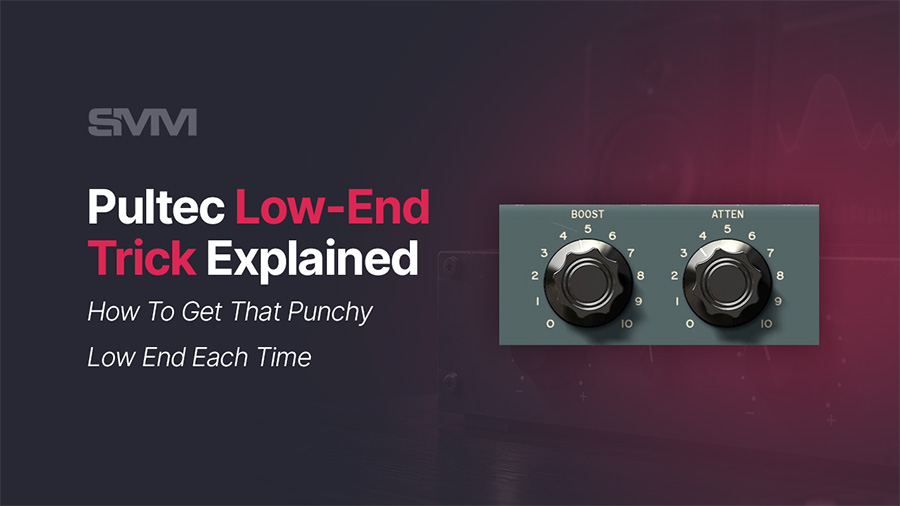
The Pultec low-end trick is one of those classic mixing techniques that sounds wrong until you hear it work. You boost the low end and attenuate it at the same frequency. On paper, that looks like you are doing two opposite moves at once. In practice, a Pultec-style EQ can make the low end feel bigger, tighter, warmer, and more controlled.
My name is Marius Simion, and I am the mixing and mastering engineer behind SongMixMaster.com. I use Pultec-style EQ plugins when I want broad low-end tone, not surgical correction. The Pultec trick can sound great on kick drums, bass guitar, 808s, drum bus, mix bus, and even mastering, but only when you understand what the trick actually does.
The mistake many producers make is simple. They hear that the Pultec trick adds punch, so they boost too much low-end and expect the mix to sound professional. That usually creates the opposite result. The kick becomes too big, the bass loses focus, the limiter starts pumping, and the master feels loud but weak.
In this article, I will explain how the Pultec low-end trick works, when to use it, when to avoid it, and how I would set it up in real mixing and mastering sessions.
What Is the Pultec Low-End Trick?
The Pultec low-end trick is a technique where you boost and attenuate the same low-frequency band on a Pultec EQP-1A-style equalizer. The most common settings are 60 Hz and 100 Hz, although some Pultec-style plugins also offer 20 Hz and 30 Hz options.
On a normal digital EQ, boosting and cutting the same frequency may cancel out or create a predictable result. On a Pultec-style EQ, the boost and attenuation curves do not behave as identical, opposite-shaped curves. They interact in a musical way.
Why Boost and Attenuate at the Same Time?
The low boost adds weight around the selected frequency. The attenuation pulls back a related part of the low-end range, but not in the exact same shape. This creates a low end that can feel fuller and tighter at the same time.
That is why this trick became famous for kicks, bass, and full-program material. It can add size without the same loose boom you may get from a simple low-shelf boost.
Why the Pultec Trick Sounds Different From a Normal Bass Boost
A normal bass boost often adds more low-frequency energy in a straightforward way. That can work, but it can also make the sound muddy, slow, or too heavy. A Pultec-style boost-and-attenuation curve creates a more complex shape.
Instead of only boosting the low end, the Pultec trick reshapes the bass region. You hear more weight, but you also hear a tighter contour around the boosted range. This is why engineers often describe the result as warm, punchy, round, or controlled.
It Is Not Magic
The Pultec trick does not automatically fix bad low end. If the kick sample is weak, the bass is out of tune, the 808 is too long, or the mix already has too much low-mid buildup, the trick may make the problem worse.
Think of it as a tone-shaping move. It works best when the low-end relationship already makes sense. If the kick and bass are fighting each other, fix that relationship first.
For a broader low-end workflow, read my guide on bass mixing tips and plugins. That article goes deeper into low-end masking, compression, saturation, and translation.
Best Frequencies for the Pultec Low-End Trick
The best frequency depends on the source. A kick drum usually reacts differently from a bass guitar, 808, drum bus, or full master. Do not choose 60 Hz or 100 Hz only because someone recommended it. Choose the frequency that supports the role of the source in the song.
20 Hz and 30 Hz
Use 20 Hz and 30 Hz carefully. These ranges can add deep sub movement, but they can also eat headroom fast. On many home studio systems, you may not hear this range accurately, so you may add too much without realizing it.
I rarely start at 20 Hz for normal mixing. It can work for special effects, cinematic low-end, or certain electronic productions, but for most kicks and bass sounds, 60 Hz or 100 Hz yields more practical results.
60 Hz
60 Hz is often the best starting point for kick drum, deep bass, 808s, drum bus weight, and subtle mastering low end. It can add real physical punch without going as dangerously low as 20 Hz or 30 Hz.
100 Hz
100 Hz works well when you need fullness, body, warmth, and low-end presence that translates better on smaller speakers. Bass guitar often responds well around 100 Hz. Some kicks also need 100 Hz more than 60 Hz if they sound thin rather than deep.
Pultec Low-End Trick Settings for Kick Drum
Kick drum is one of the best places to learn the Pultec low-end trick. The goal is to make the kick feel deeper and more powerful without letting it become boomy or slow.
Start with 60 Hz. Set Boost around 3 to 5 and Attenuation around 2 to 4. Listen to the kick inside the full mix, not in solo. The kick should feel stronger, but the bass should still have space.
Kick Drum Starting Settings
| Kick Goal | Frequency | Boost | Attenuation | What To Listen For |
|---|---|---|---|---|
| Deep punch | 60 Hz | 3 to 5 | 2 to 4 | The kick feels bigger without uncontrolled boom. |
| Extra body | 100 Hz | 1 to 3 | 1 to 2 | The kick feels fuller on smaller speakers. |
| Sub-heavy kick | 30 Hz or 60 Hz | 1 to 3 | 1 to 3 | The low end stays powerful but does not eat all headroom. |
If the kick becomes huge but the groove loses punch, reduce the boost. Low-end energy can fool your ear by making the signal feel more powerful for a few seconds. Always compare the processed and bypassed sound at a similar level.
Pultec Low-End Trick Settings for Bass Guitar
Bass guitar usually needs fullness, stability, and note definition. The Pultec low-end trick can add body, but it should not blur the rhythm or hide the kick.
For bass guitar, I usually start at 100 Hz. Try Boost around 2-4 and Attenuation around 1-3. This can add warmth while keeping the low end more controlled than a simple boost.
Listen to the Bass Notes
Do not only listen to the first note that sounds good. Play the whole section. Some bass notes may jump out more than others. If one note becomes too loud after the Pultec boost, you may need compression, dynamic EQ, automation, or a different EQ move before the Pultec.
If the bass has enough sub but lacks presence on small speakers, the Pultec low-end trick may not be the main solution. You may need saturation or a midrange lift so the bass line remains audible outside full-range systems.
Pultec Low-End Trick for 808s
808s are tricky because they can dominate the low end very quickly. A Pultec EQ can shape an 808, but it cannot fix tuning, note length, clipping, phase problems, or a bad kick relationship.
Before using the Pultec trick on an 808, check the basics. Is the 808 in tune with the song? Does the note length leave room for the kick? Is the 808 too loud before processing? Does the low end disappear in mono? Does it translate on phones?
808 Starting Settings
| 808 Goal | Frequency | Boost | Attenuation | Best Use |
|---|---|---|---|---|
| Sub weight | 60 Hz | 1 to 3 | 1 to 2 | When the 808 needs controlled depth. |
| More body | 100 Hz | 1 to 3 | 1 to 2 | When the 808 feels too thin or too low-only. |
| Mix bus safety | 60 Hz or 100 Hz | 0.5 to 1.5 | 0.5 to 1.5 | When the 808 supports the mix but must not dominate. |
If the 808 disappears on phone speakers, do not just boost the sub more. Phone speakers cannot reproduce deep sub properly. Add controlled harmonic content with saturation or distortion, then use the Pultec for weight if needed.
For a full 808 workflow, read my guide on how to mix an 808 bass in Trap and Hip-Hop music.
Pultec Low-End Trick on Drum Bus
The Pultec low-end trick can work on a drum bus when the drums already have a good internal balance. It can add weight to the kit, making the drums feel more solid. The danger is that the kick may become too dominant and pull the entire drum bus down.
On drum bus, use smaller moves than you would on an individual kick. Try 60 Hz Boost around 0.5-2 and Attenuation around 0.5-1.5. If the plugin also has a high-frequency boost, a very small lift around 10 kHz or 12 kHz can add excitement, but check the hi-hats and cymbals carefully.
Do Not Fix a Bad Drum Balance on the Bus
If the kick is too loud, fix the kick level. If the snare is harsh, fix the snare. If the hi-hats are too sharp, adjust them. Drum bus Pultec processing should improve a good drum balance, not hide a bad one.
If you want to build better drum bus control, read my guide on what a drum bus is and why you should use one.
Pultec Low-End Trick on Mix Bus
The mix bus is where the Pultec low-end trick becomes powerful but risky. A tiny move can make the whole mix feel fuller. A slightly larger move can make the low end too heavy, push the vocal backward, and make the limiter work harder.
Start very small. Try 60 Hz Boost around 0.5 to 1.5 and Attenuation around 0.5 to 1. If the mix feels thin, this can add low-end confidence. If the mix already has enough bass, skip the low-end trick and do not force it.
Level Match Before You Decide
Level matching matters on every source, but it becomes critical on the mix bus. If the Pultec makes the mix slightly louder, your ear may think the EQ is better even when the tone is not improved.
Bypass the plugin, match the output level, and listen again. Ask yourself: did the mix become warmer and punchier, or did it only become louder and thicker?
Pultec Low-End Trick for Mastering
In mastering, I use the Pultec low-end trick with restraint. The goal is not to create a new low-end balance. The goal is to make a balanced mix feel slightly more confident, polished, and controlled.
Try 60 Hz Boost at around 0.5 to 1, and Attenuation at around 0.5 to 1. On some thin mixes, 100 Hz may work better because it adds fullness rather than deep sub. These are small moves, but on a full master they can be enough.
Mastering Cannot Rescue Bad Low End
If the kick and bass are fighting, fix the mix. If the 808 is too loud, fix the mix. If the premaster clips, fix the export. Mastering EQ can improve tonal balance, but it cannot rebuild the internal relationships among kick, bass, vocals, and drums.
Before mastering, make sure you leave enough headroom. I explained this in detail in my guide on what headroom means for mastering.
If your mix already feels balanced but needs final tonal polish, loudness, and translation, you can learn more about my online audio mastering service.
Pultec Low-End Trick Settings Cheat Sheet
Use this cheat sheet as a starting point. The exact setting depends on the source, song key, arrangement, plugin model, and final goal.
| Source | Frequency | Boost | Attenuation | Purpose |
|---|---|---|---|---|
| Kick Drum | 60 Hz | 3 to 5 | 2 to 4 | Add punch, depth, and controlled low-end impact. |
| Thin Kick | 100 Hz | 1 to 3 | 1 to 2 | Add body and small-speaker presence. |
| Bass Guitar | 100 Hz | 2 to 4 | 1 to 3 | Add fullness while keeping the low end stable. |
| 808 | 60 Hz or 100 Hz | 1 to 3 | 1 to 2 | Shape sub weight without swallowing the mix. |
| Drum Bus | 60 Hz | 0.5 to 2 | 0.5 to 1.5 | Add broad drum weight and punch. |
| Mix Bus | 60 Hz | 0.5 to 1.5 | 0.5 to 1 | Add subtle low-end confidence. |
| Mastering | 60 Hz or 100 Hz | 0.5 to 1 | 0.5 to 1 | Make subtle final low-end tone adjustments. |
Common Pultec Low-End Trick Mistakes
The Pultec low-end trick is easy to overuse because it often sounds good immediately. The problem appears later when the full mix loses headroom, the limiter pumps, or the master becomes muddy.
Boosting Too Much Low End
This is the most common mistake. More bass does not always mean more punch. Punch comes from balance, transient shape, headroom, and the relationship between kick and bass.
Using the Trick Before Fixing Masking
If the kick and bass already fight each other, the Pultec trick may make the fight bigger. Solve masking first. Decide which element owns the sub and which element carries the punch.
Ignoring the Song Key
The song key affects where the bass notes live. A 60 Hz boost may work beautifully in one song and exaggerate the wrong note in another. Listen to the full bass line, not only one moment.
Not Checking Small Speakers
Sub-bass does not translate well on phones or small laptop speakers. If your bass only lives below 60 Hz, the listener may lose it on smaller systems. Add harmonics when needed.
Not Level Matching
A Pultec low-end boost can make the signal louder. Louder often feels better at first. Level match before you decide whether the EQ move truly improved the tone.
Using It on Every Low-End Source
You do not need the Pultec trick on kick, bass, 808, drum bus, mix bus, and master at the same time. That can stack low-end boosts until the mix becomes heavy and slow. Choose the most important place for the move.
My Practical Pultec Low-End Workflow
When I use the Pultec low-end trick, I rarely start with the plugin. First, I listen to the low-end relationship. I want to know if the problem is level, frequency masking, note length, phase, compression, saturation, or headroom.
- Check the source first: Make sure the kick, bass, or 808 already has a usable tone.
- Fix technical problems: Tune the 808, clean rumble, control masking, and check phase.
- Use the Pultec for tone: Add boost and attenuation only after the low end already makes sense.
- Listen in the full mix: Never judge the low-end trick only in solo.
- Level match: Compare the processed and bypassed sound at similar loudness.
- Check translation: Test headphones, monitors, car speakers, earbuds, and small speakers.
This workflow keeps the Pultec in the right role. It becomes a musical tone tool, not a rescue tool.
Can You Recreate the Pultec Low-End Trick With a Digital EQ?
You can approximate the Pultec low-end trick with a modern digital EQ by using broad shelves and gentle cuts around nearby low-frequency areas. For example, you can create a broad boost around 60 Hz and a gentle attenuation around the low-mid area above it.
However, a clean digital EQ will not always feel the same as a modeled Pultec-style plugin. The Pultec workflow, curve interaction, passive EQ behavior, and modeled amplifier tone all influence the final sound. A modern EQ gives you more precision. A Pultec-style EQ gives you a specific musical shape.
If you use FabFilter Pro-Q 4 and want fast starting points for EQ decisions, my FabFilter Pro-Q 4 presets pack can help with cleanup, tone shaping, vocals, drums, bass, and mastering-style moves.
When You Should Avoid the Pultec Low-End Trick
A good engineer knows when not to use a technique. Avoid the Pultec low-end trick when the mix already has too much low end, when the kick and bass are fighting, when the limiter is already pumping, or when you cannot hear the sub range accurately.
You should also avoid it when the source needs surgical correction. A Pultec-style EQ is not the right tool for removing a single narrow resonance, cleaning up boxy low mids, or fixing a bad recording. Use a precise EQ first, then decide if the Pultec can add tone.
Final Thoughts
The Pultec low-end trick is powerful because it offers more than just a simple bass boost. It can add size and control simultaneously, which is why it still matters in modern mixing and mastering.
Use it with intention. Start at 60 Hz for kick, 100 Hz for bass guitar, and smaller moves for 808s, drum bus, mix bus, and mastering. Always listen in context. Always level match. Most importantly, do not expect the trick to fix bad low-end decisions that should be solved earlier in the mix.
Warm and punchy low end comes from balance first, then tone. The Pultec trick can help you finish that tone, but your ears, your references, and your low-end discipline still make the real decision.
FAQ
The Pultec low-end trick means boosting and attenuating the same low-frequency setting on a Pultec-style EQ, usually 60 Hz or 100 Hz. Because the boost and attenuation curves are not identical, the result can add low-end weight while controlling boom.
The Pultec low-end trick works because the low-frequency boost and attenuation curves do not perfectly overlap. The boost adds weight around the selected frequency, while the attenuation shapes a related area differently. This creates a tighter and more musical low-end contour.
For kick drum, 60 Hz is usually the best starting point. Try Boost around 3-5 and Attenuation around 2-4. If the kick needs more body than sub, try 100 Hz with smaller boost and attenuation settings.
For bass guitar, 100 Hz is often a good starting point because it adds fullness and body. Try Boost around 2-4 and Attenuation around 1-3. For deeper synth bass or 808s, 60 Hz may work better depending on the song key and bass notes.
Yes, you can use the Pultec low-end trick on 808s, but use it carefully. First check tuning, note length, phase, kick relationship, and headroom. If the 808 disappears on small speakers, saturation or harmonic content may help more than extra sub boost.
Yes, the Pultec low-end trick can work in mastering when used subtly. Try very small moves around 60 Hz or 100 Hz. Mastering EQ should polish an already balanced mix, not fix uncontrolled kick, bass, or 808 problems.
Use 60 Hz when you want deeper punch and low-end weight, especially on kick, 808s, drum bus, or subtle mastering moves. Use 100 Hz when you want more body, fullness, and low-end presence that may translate better on smaller speakers.
Yes, the Pultec trick can make your mix muddy if you boost too much low-end, use it on too many sources, ignore kick-and-bass masking, or send too much low-frequency energy into a compressor or limiter. Always level match and check the full mix.
You can approximate the Pultec low-end trick with a normal EQ by using broad low-frequency boosts and nearby gentle cuts. However, a Pultec-style plugin may introduce a different curve interaction, workflow, and modeled analog tone that a clean digital EQ cannot replicate exactly.
Avoid the Pultec low-end trick when the mix already has too much bass, the kick and bass are masking each other, the limiter is pumping, the source is out of tune, or you need surgical correction. Fix those problems first, then use the Pultec for tone.
Affiliate disclosure: Some links on this page are affiliate links. If you make a purchase through them, we may earn a commission at no extra cost to you. Brand disclaimer: All product names, trademarks, and brands belong to their respective owners. References are for identification and informational purposes only.
Check Out My Custom Mixing Presets!
New Mixing Presets
Waves Vocal Chains
$24.99Original price was: $24.99.$19.99Current price is: $19.99.FabFilter Pro-Q4 Presets
$24.99Original price was: $24.99.$19.99Current price is: $19.99.FL Studio Vocal Mixing Presets
$19.99Original price was: $19.99.$15.99Current price is: $15.99.FL Studio Mastering Presets
$19.99Original price was: $19.99.$15.99Current price is: $15.99.You may also like to read...
How Studio One 7’s AI Stem Separation Transforms Your Music
Best Stereo Imaging Plugins for Achieving Wider Mixes
The Best Multiband Compressor VST Plugins in 2026
FabFilter Pro-MB Low End Trick For Mixing Bass and Kick
How to Use FabFilter Pro-C2 for Parallel Compression
How To Inverse EQ & Match EQ Using Fabfilter Pro-Q3